


AI Chatbot Scheduling Assistants: Power, Risks, and Reality in Practice
Written with AI assistance under our editorial guidelines
AI chatbot scheduling assistants in 2026 promise to automate meeting coordination and eliminate calendar conflicts, but they introduce significant risks around data privacy, autonomous decision-making, and potential loss of human oversight in time management. The technology offers genuine productivity gains while requiring careful consideration of what control users surrender.
In the sweltering heat of the productivity arms race, a new breed of digital gatekeeper quietly rewrites the rules: the AI chatbot scheduling assistant. Forget sterile calendar apps or the polite tyranny of Outlook invites. In 2025, the landscape is riddled with promise and peril, where bots wield the power to orchestrate—or obliterate—your meticulously crafted routines. This isn’t just about automating reminders or finding a meeting slot. It’s about the collision of human chaos and machine logic, about what we gain—and what we risk losing—when we surrender our most precious currency: time. Crack open your digital planner and peer into the abyss, because beneath the glossy marketing and AI buzzwords lies a world of brutal truths, big wins, and bizarre pitfalls that could make or break your sanity. Welcome to the untold reality behind time’s new gatekeeper: the AI chatbot scheduling assistant.
Why our calendars are broken: A history of scheduling disasters
From rotary phones to rogue bots: The evolution of scheduling
Picture this: a retro office humming with static, wall calendars overlapping with sticky notes, an exhausted assistant tangled in phone cords, desperately juggling calls for the boss. The chaos of early manual scheduling was more than an inconvenience—it was a relentless grind, a daily gauntlet of missed connections and double-booked disasters. The introduction of digital calendars in the late 1980s was supposed to be the dawn of order. Instead, early apps simply digitized old problems: endless email chains, cryptic invites, and the notorious “reply all” apocalypse.

The digital age added layers of friction, not relief. Appointment software solved little for those navigating time zones, team politics, or the nuances of “urgent-but-not-really.” Every decade, we got smarter tech—Palm Pilots, BlackBerrys, smartphone apps—but the fundamental headaches persisted. Somewhere between cloud calendars and the rise of Slack bots, the industry realized something radical: the real problem wasn’t the tool, but the unpredictable, messy humans using it.
| Year | Key Scheduling Innovation | Impact on Workflows |
|---|---|---|
| 1980 | Paper diaries and wall charts | Manual, error-prone, high context switching |
| 1990 | Early digital calendars | Email overload, manual input persists |
| 2000 | Syncable smartphones | Mobile access, but no real automation |
| 2010 | Cloud-based calendars | Team visibility, but still manual negotiation |
| 2020 | AI-powered scheduling bots | Automated suggestions, context awareness |
| 2025 | AI ecosystems (e.g. botsquad.ai) | Specialized, adaptive, cross-domain assistants |
Table 1: Timeline of scheduling technology innovations, 1980-2025. Source: Original analysis based on Harvard Business Review, 2023
The hidden costs of missed meetings
The fallout from even one scheduling error is never just a mild embarrassment. It’s lost deals, broken trust, and reputations that take months to mend. Imagine the CFO losing a major investor because the calendar bot mixed up time zones; or the sales team’s demo going dark, client left waiting in the virtual lobby. According to Forbes, 2024, U.S. businesses lose an estimated $399 billion annually due to missed meetings and scheduling mishaps.
- Lost sales opportunities when clients are kept waiting or abandoned
- Team morale nosedives after repeated double-bookings
- Deadline slippage cascades due to critical stakeholders missing key sessions
- Trust evaporates between departments as blame for calendar chaos is passed around
- Project launches stall as executive approvals are delayed by “calendar Tetris”
- HR crises escalate when interviews are missed or overlap
- Legal deadlines are blown, costing companies in penalties and risk exposure
The emotional toll is just as real. Anxiety spikes as teams scramble to recover face, while the mental drain of constantly “checking the calendar” kills deep work and creativity. In a culture obsessed with optimization, these failures are more than technical glitches—they’re existential threats.
What is an AI chatbot scheduling assistant, really?
Beyond the hype: Defining AI-powered scheduling
Strip away the jargon, and an AI chatbot scheduling assistant is a digital entity trained to wrangle your timetable with minimal human nudging. It listens, learns, and adapts—parsing natural language, predicting intent, and making context-aware decisions. Unlike “dumb” calendar apps, these bots leverage natural language processing (NLP), machine learning, and massive data to anticipate your needs.
An approach that uses machine intelligence and algorithms to optimize, automate, and adapt the process of booking meetings, appointments, and tasks across dynamic environments.
The technology enabling bots to understand human speech, written requests, and even ambiguous instructions (“Let’s catch up next week, same as usual”).
The data-driven modeling that allows bots to recognize patterns—like which meetings you always decline, or what times you prefer for deep work.
The bot’s ability to weigh preferences, priorities, and even external data (location, weather, traffic) before proposing a slot.
What makes a scheduling chatbot truly “intelligent” isn’t just automation—it’s the ability to infer, adapt, and even say “no” when your calendar’s about to implode. The best tools feel less like digital secretaries and more like proactive time negotiators.
Unpacking common misconceptions
Despite the surge in adoption, the mythos surrounding AI scheduling assistants is thick with hype and half-truths.
- “AI will take over my calendar and make mistakes I can’t fix.” In reality, top-tier bots always leave final control in human hands, and all changes are auditable.
- “These assistants are only for tech elites or huge enterprises.” Modern platforms democratize access, catering to solopreneurs, students, and creative professionals alike.
- “Bots can manage every kind of meeting flawlessly.” Nuance and context still trip up even the smartest algorithms.
- “Privacy is dead if you use an AI assistant.” While privacy risks exist, reputable vendors prioritize data encryption and user consent.
- “AI scheduling assistants are prohibitively expensive.” With scalable models—many pay-as-you-go—cost often undercuts that of traditional admin support.
The real risks are subtler: over-reliance, the potential for bias in suggestions, and the slow erosion of agency if you go full autopilot. But to claim the bots are infallible—or sinister overlords—is to miss the point entirely.
Brutal truths: Where AI chatbot scheduling assistants fall short
The limits of artificial intelligence in human chaos
Even the slickest AI scheduling assistant stumbles in the face of human unpredictability. Sarcasm, office politics, and the subtle cues of urgency—these are riddles most bots can’t yet crack. “No bot can decode sarcasm—yet,” says Jenna Martinez, AI strategist, whose team regularly audits bot performance for bias and tone deafness.
"No bot can decode sarcasm—yet. Human nuance and unspoken priorities remain stubbornly out of reach for even the most advanced AI scheduling platforms." — Jenna Martinez, AI strategist, April 2024
Over-automation risks missing out on last-minute pivots, gut-feel decisions, and those off-the-record conversations that lubricate real business. There’s always a danger that in the relentless drive for efficiency, opportunities slip through the cracks—meetings that matter get replaced by routines, and human ingenuity is boxed in by machine logic.
Privacy, bias, and the surveillance dilemma
Handing over your calendar is also handing over a map of your life: who you meet, when, and why. According to TechCrunch, 2024, privacy concerns remain a top barrier to AI assistant adoption. Vendors claim robust encryption and limited data retention, but the risk of data mining for profit or inadvertent leaks is real.
| Platform | Data Encryption | Data Retention Policy | User Control Over Data | Independent Privacy Audit |
|---|---|---|---|---|
| Botsquad.ai | Yes | Minimal | Full | Yes |
| Google Calendar | Yes | Standard | Partial | No |
| Calendly | Yes | Limited | Full | No |
| Microsoft 365 | Yes | Standard | Partial | Yes |
Table 2: Comparison of privacy policies among leading AI scheduling assistants. Source: Original analysis based on TechCrunch, 2024
Bias is a subtler beast. If a bot’s training data undervalues certain roles or cultural norms, its suggestions can unintentionally reinforce workplace inequities—consistently relegating less “critical” staff to inconvenient slots, or making assumptions about time-off requests. The stakes: inclusion, fairness, and sometimes, outright compliance risk.
Winning big: How AI chatbot scheduling assistants change the game
The productivity revolution nobody saw coming
Let’s cut through the doom: when AI scheduling assistants work, they’re nothing short of transformative. Take the story of a boutique creative agency in Amsterdam: by deploying an intelligent scheduling bot, they slashed administrative time by 32% in three months. No more endless back-and-forth emails or lost sticky notes. Creative teams reported higher satisfaction and project managers reclaimed focus hours, feeding a virtuous cycle of productivity.

According to McKinsey, 2024, organizations leveraging AI assistants report an average of 13 hours saved per employee every month, with improved work-life balance and reduced stress.
| Role | Avg. Hours Saved/Week | Reported Happiness Increase |
|---|---|---|
| Project Manager | 5 | 44% |
| Creative Professional | 3 | 36% |
| Sales Representative | 4 | 39% |
| Executive Assistant | 6 | 48% |
Table 3: Hours saved per week per role using AI scheduling. Source: McKinsey, 2024
Hidden benefits experts won’t tell you
The perks go deeper than numbers. A lightweight mental load, more inclusive scheduling, and accessibility for neurodiverse teams all stack up.
- Frees up cognitive bandwidth, reducing decision fatigue
- Provides quick translations and timezone management for global teams
- Offers accessibility features for visually impaired or neurodiverse users
- Levels the playing field by automating fair slot assignment
- Increases focus by minimizing context-switching
- Supports work-life boundaries with smart “do not disturb” automation
- Reduces micro-conflicts over priorities and availability
- Enables effortless recurring or complex event planning
- Seamlessly integrates with existing workflow tools
“It’s like having a time bodyguard,” says Lucas Mendel, project manager at a midsize consulting firm. “My AI scheduling assistant is ruthless about protecting my focus hours. I get more done, and I’m less exhausted at the end of the week.”
Choosing the right AI chatbot scheduling assistant in 2025
Features that matter (and what’s just marketing noise)
The glut of shiny features is a minefield: some are game-changers, others pure fluff. Must-haves? Data privacy controls, cross-platform integration, robust NLP, and clear audit trails. If a vendor brags about “AI-powered color themes,” run.
- No granular privacy or data retention settings
- No integration with major calendar providers
- Clunky user onboarding or poor documentation
- “Magic” features with no explainability
- No option for manual overrides or approval
- Unresponsive support or unclear SLAs
- Opaque AI decision-making (“black box”)
- Frequent upcharges for basic features
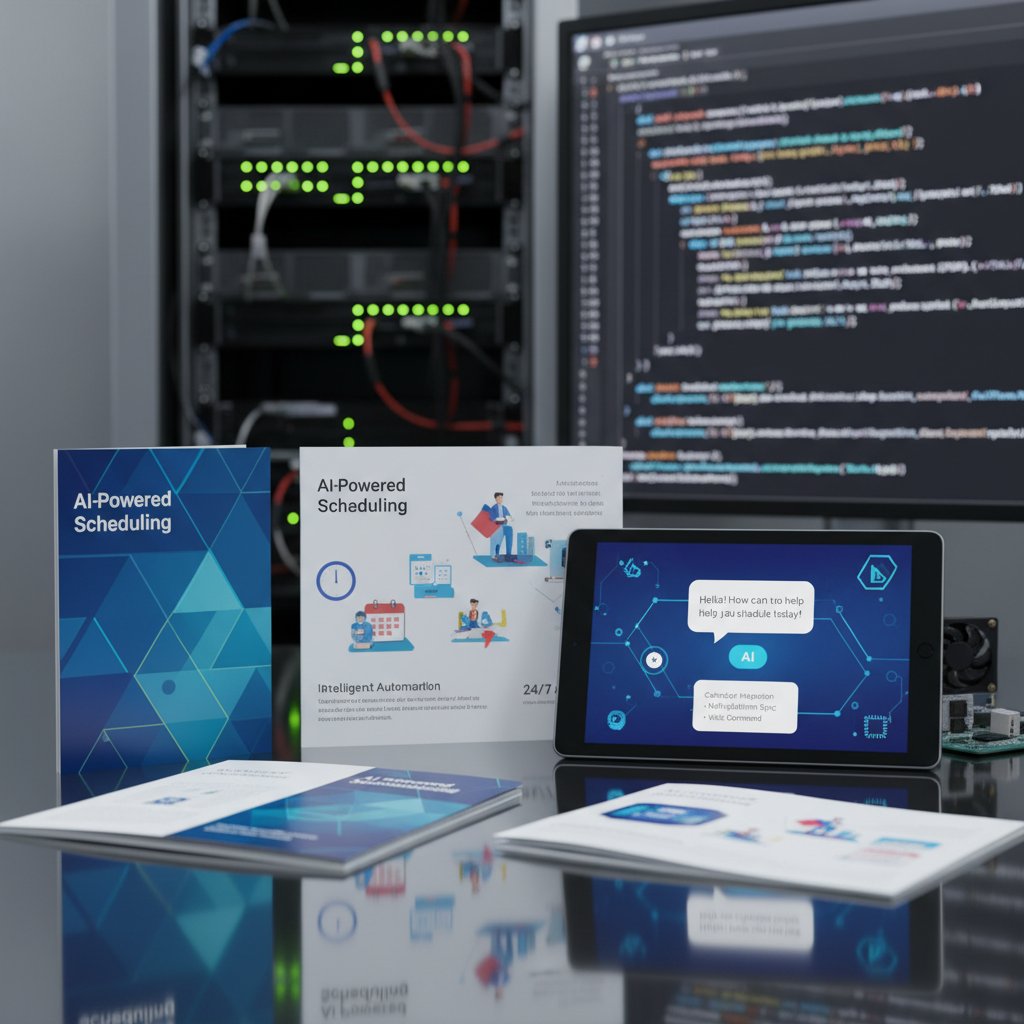
Focus on what moves the needle: seamless onboarding, actionable insights, transparency, and the ability to adapt quickly. Everything else is window dressing.
Botsquad.ai and the new ecosystem of expert assistants
Enter platforms like botsquad.ai, which are upending the landscape with specialized chatbots built for diverse industries and workflows. No longer are you locked into a generic assistant that treats a law firm and a design studio the same way. The rise of ecosystems means you can deploy an expert bot for content creation, another for project management, and a third for customer support—each tuned to your needs.
“The future isn’t one assistant, it’s an ecosystem,” says Maya Lee, an industry analyst who has tracked the explosion of AI in workplace productivity. “You want a suite of bots that communicate, learn from your habits, and adapt to the unique chaos of your field.”
How to implement an AI chatbot scheduling assistant (without losing your mind)
Step-by-step guide to smooth integration
Rolling out an AI scheduling assistant shouldn’t feel like a root canal. The key? Start small, iterate, and keep humans in the loop.
- Define your must-have features and compliance needs
- Audit your current scheduling pain points
- Select a pilot team or department for initial rollout
- Onboard the assistant with clear user training
- Set up integrations with calendars, communication tools, and access controls
- Customize bot preferences and rules to your workflow
- Monitor initial performance, collect user feedback
- Tweak settings and permissions based on real-world results
- Gradually expand to other teams or locations
- Establish ongoing review cycles and clear escalation paths
Even the most advanced AI scheduling assistant will stumble if users feel railroaded or left in the dark. Address skepticism upfront: run Q&A sessions, share data on time savings, and create a feedback loop with the vendor.
Checklist: Is your team ready for AI-powered scheduling?
Before you leap, run this readiness gauntlet:
- Does your team already use digital calendars daily?
- Are there clear owners for calendar management?
- Is data privacy and compliance a top priority?
- Do team members understand AI’s role and limits?
- Are you prepared to audit and tweak bot behavior?
- Is there buy-in from leadership and end users?
- Do you have a fallback plan if adoption stalls?
If you’re missing more than two, pump the brakes—work on education and buy-in first. The most powerful AI scheduling assistant is still only as good as the humans who trust it.
Real-world stories: Successes, faceplants, and the weird side of AI scheduling
Case studies from the trenches
A regional healthcare provider implemented an AI scheduling assistant to manage appointments across three clinics. Within two months, patient wait times dropped by 23%, and staff reported less burnout. “It’s freed us to focus on care, not calendar admin,” the clinic manager told Healthcare IT News, 2024.

Meanwhile, a creative agency in Berlin saw its project turnaround time shrink by 28% after AI-driven scheduling eliminated bottlenecks. Yet, not every tale is a fairy tale. A fintech startup’s bot once sent a board invite to the wrong investor, triggering a week-long PR scramble that still haunts Slack channels.
User tales: The good, the bad, and the bizarre
“I thought my AI assistant was infallible—until it double-booked me with my ex for a ‘catch-up coffee.’ Never again,” laughs Sam, a freelance designer. Most users rave about time saved but acknowledge occasional quirks: bots that misinterpret “hold for lunch” as “host a lunch meeting,” or that can’t parse the chaos of a shifting workweek. It’s the price of progress—a little weirdness for a lot of relief.
"My AI assistant once double-booked me with my ex. Never again." — Sam, freelancer, March 2025
In the end, it’s these stories—equal parts triumph and trainwreck—that define the current reality of AI chatbot scheduling assistants.
The future of AI chatbot scheduling assistants: What’s next?
Emerging trends and tech on the horizon
The lines between scheduling, communication, and intent prediction continue to blur. Assistants are getting smarter at juggling complex schedules, understanding context, and even predicting when to nudge versus when to step back. The convergence of AI, voice interfaces, and real-time analytics hints at a future where your assistant not only books your meetings but preps you for them, aligning agendas and surfacing pre-read materials automatically.

For now, stick to what’s proven. Demand transparency, auditability, and human override. The road ahead is bright, but only for those who refuse to surrender control blindly.
Will we ever trust AI with our time?
Every leap in automation brings a fresh crisis of trust. Can you really let go of the wheel and let an algorithm become your gatekeeper? The psychological shift is profound: are you ready for a bot to draw your boundaries, prioritize your relationships, maybe even make you less available for serendipity?
The cultural impact is seismic, too. We’re wired to believe that more control equals more freedom. But as AI chatbot scheduling assistants entwine deeper into our workflows, the question morphs: is freedom found in control, or in letting go? If you’re brave enough to find out, the future—and your calendar—awaits.
Summary
The AI chatbot scheduling assistant is both a loaded weapon and a vital shield in the modern time wars. Our calendars are broken not because we lack technology, but because we’re human—messy, unpredictable, and prone to overload. AI assistants like botsquad.ai are redefining what’s possible, slashing admin time and opening up space for creativity, focus, and sanity. Yet the brutal truths remain: no bot can replace human nuance, and privacy or bias concerns lurk beneath the surface. When implemented with intention and skepticism, these tools deliver huge wins: reclaimed hours, happier teams, and a new kind of organizational edge. Sift through the hype, embrace the weirdness, and let an AI chatbot scheduling assistant guard your most precious asset—your time. If you’re ready to step up, botsquad.ai is waiting to help you cut through the noise.
Transform Your Life With Expert AI Assistants
Botsquad.ai provides a comprehensive platform where specialized expert chatbots leverage powerful Large Language Models (LLMs) to deliver tailored support for productivity, lifestyle, and professional needs. Whether you're aiming to streamline your daily tasks, seeking expert advice, or striving to elevate your professional performance, Botsquad.ai has a chatbot specifically designed to meet your unique needs. With our intuitive interface, continuous learning capabilities, and seamless integration with your existing workflows, Botsquad.ai empowers users to achieve more, effortlessly.
Get startedReady to Work Smarter?
Join thousands boosting productivity with expert AI assistants
Frequently Asked Questions
What was the main problem with early digital calendar apps?
Early digital calendars in the late 1980s simply digitized old problems rather than solving them, creating endless email chains, cryptic invites, and issues like the 'reply all' apocalypse, without addressing underlying challenges like time zones, team politics, or urgent-but-not-really priorities.
What is an AI chatbot scheduling assistant?
According to the article, it is a new breed of digital gatekeeper that goes beyond automating reminders or finding meeting slots—it represents the collision of human chaos and machine logic, orchestrating schedules by wielding significant power over how time is managed.
Why have scheduling solutions remained problematic despite technological advances?
The article suggests that the real problem was never the tool itself, but rather the unpredictable, messy humans using it; despite advances from Palm Pilots to BlackBerrys to smartphone apps, fundamental scheduling headaches persisted because technology couldn't solve human complexity.
What does the article suggest we risk by using AI scheduling assistants?
The article indicates that by surrendering control of our schedules to AI bots, we risk losing our most precious currency—time—and potentially our sanity, despite the glossy marketing promises of these tools.
From the Archive
Explore more from Expert AI Chatbot Platform

AI Chatbot Automated Task Schedulers: Capabilities and Limitations

AI Chatbot Schedule Automation Tools: What Works and What Fails

AI Chatbot Automated Scheduling: Gains and Genuine Tradeoffs

Why Manual Scheduling Wastes Hours—And How AI Fixes It

AI Chatbot Personalized Scheduling Tool Vs Your Broken Calendar
